I Built My Own Org-Mode App for Mac and iPhone
Table of Contents
I've developed a habit recently of building custom programs for my specific problems rather than trying to shoehorn an existing program into the space. Sometimes it's worth it and sometimes I reinvent the wheel a bit, but it's great experience regardless.
1. The Problem
My notes, tasks, and schedule all live in a folder of org-mode files. On my Linux machines and my Mac, that means Doom Emacs. On my phone, it meant Beorg, with Syncthing moving the files between devices.
That setup worked, but it had a few gaps I kept running into:
- Emacs isn't on my phone or iPad, so anything I did away from a computer went through a separate app with its own subset of org.
- Any app that touches my files has to leave them alone. If it reformats a drawer or rewrites a timestamp I didn't touch, Emacs and Syncthing see a change, and I get a diff or a sync conflict.
- I wanted the Apple-side features that Emacs can't give me: Calendar and Reminders in the agenda, widgets, a menu bar clock, the share sheet, and Shortcuts.
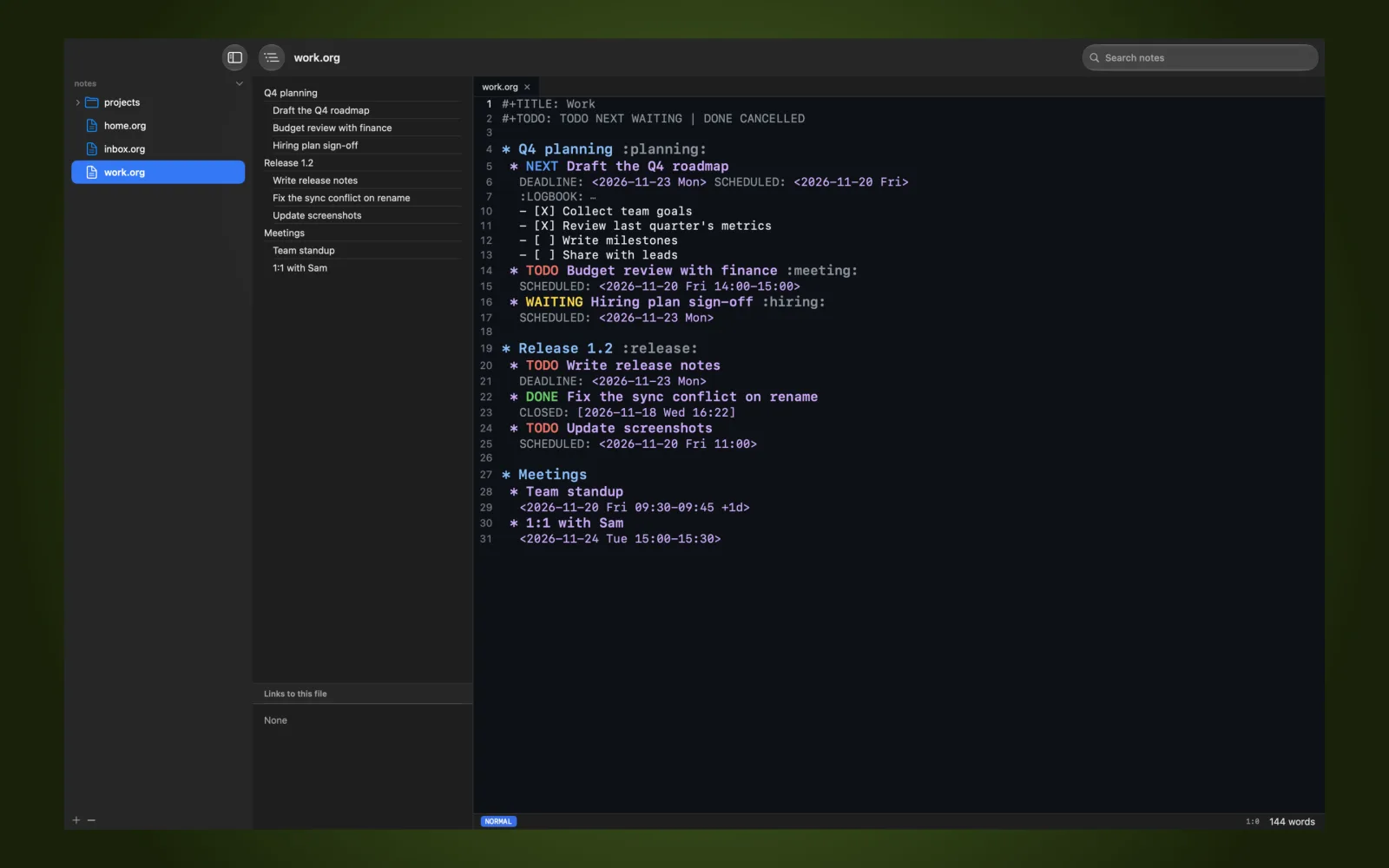
So I built my own: orgstar, a native org-mode editor and agenda for Mac, iPhone, and iPad. It reads and writes the same .org files Emacs does, and it leaves every byte you didn't change as it was.
2. What It Does
orgstar covers the parts of org-mode I use every day, and adds the things a native app can do that Emacs can't. Here's how each piece fits into a normal day.
2.1. Plan the day in the agenda
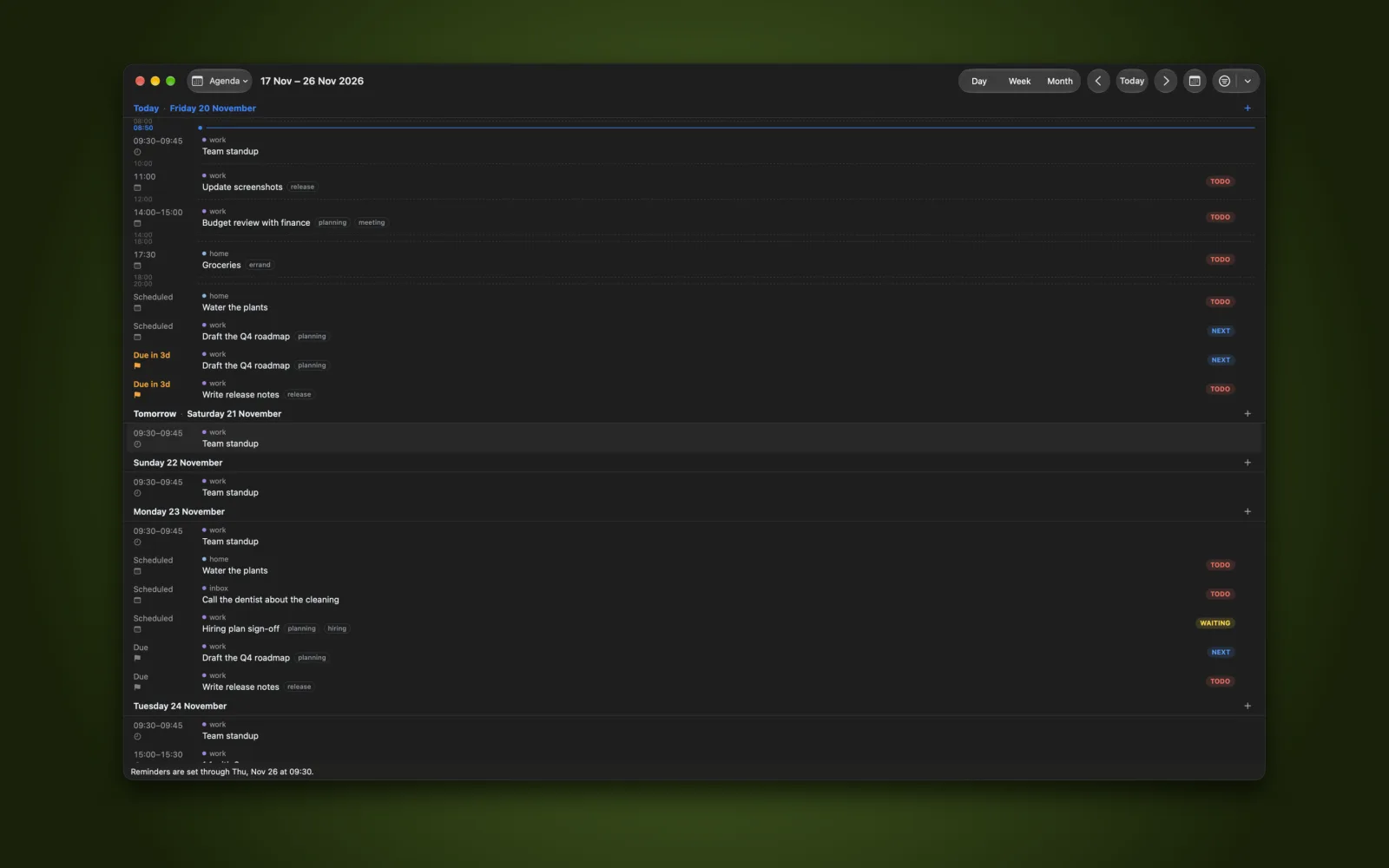
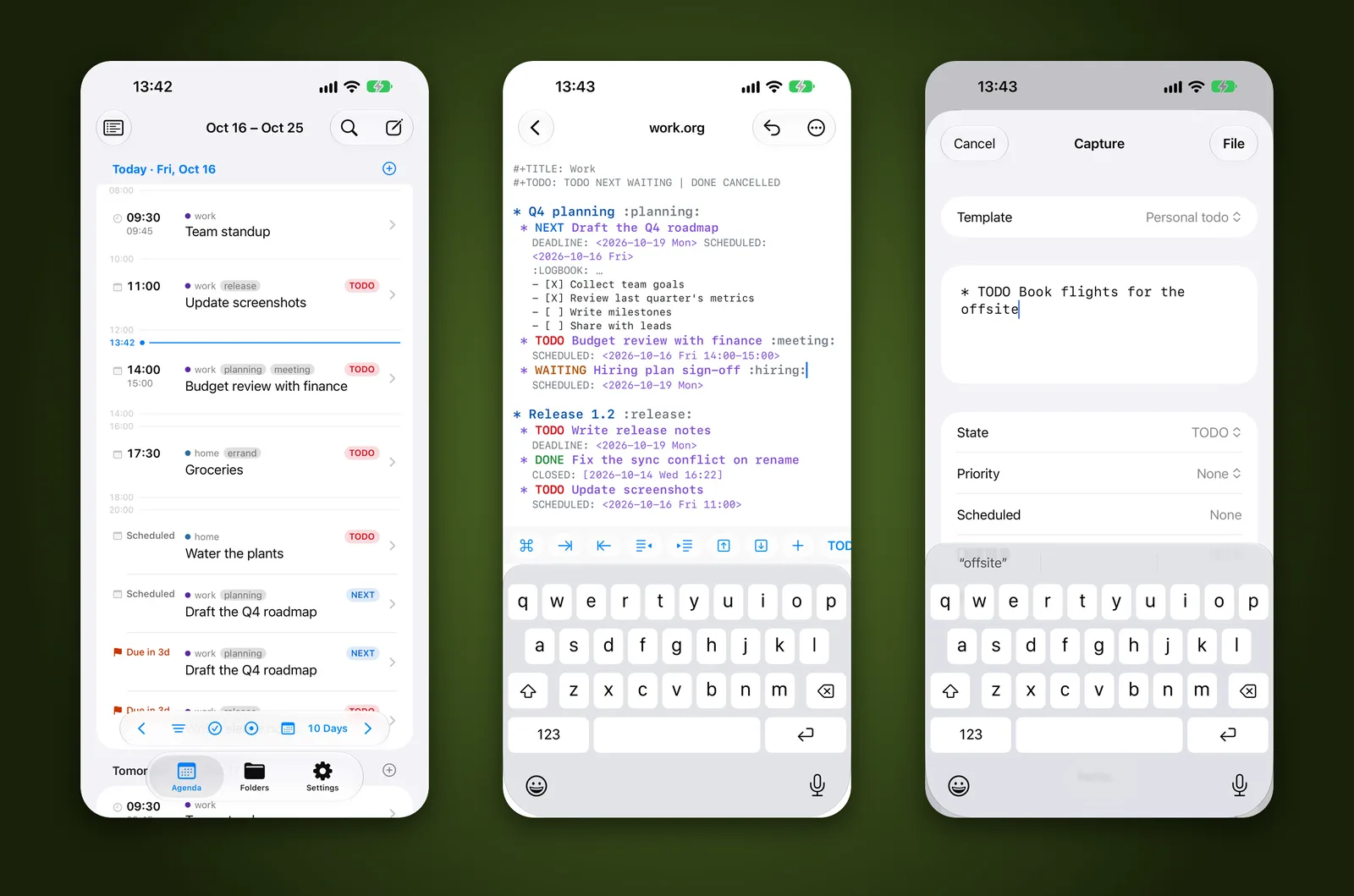
The agenda pulls scheduled items, deadlines, and timestamps from every file in your folders into one list by day, week, or month. It shows habits, the current time, and how far ahead reminders are set. With Calendar and Reminders turned on, your events and reminders show up in the same list, so there's one place to look in the morning instead of three.
orgstar sends a notification before each timed entry, the same way appt-message-warning-time does in Emacs. On iPhone, the app icon's badge counts anything overdue.
2.2. Move work along on the board
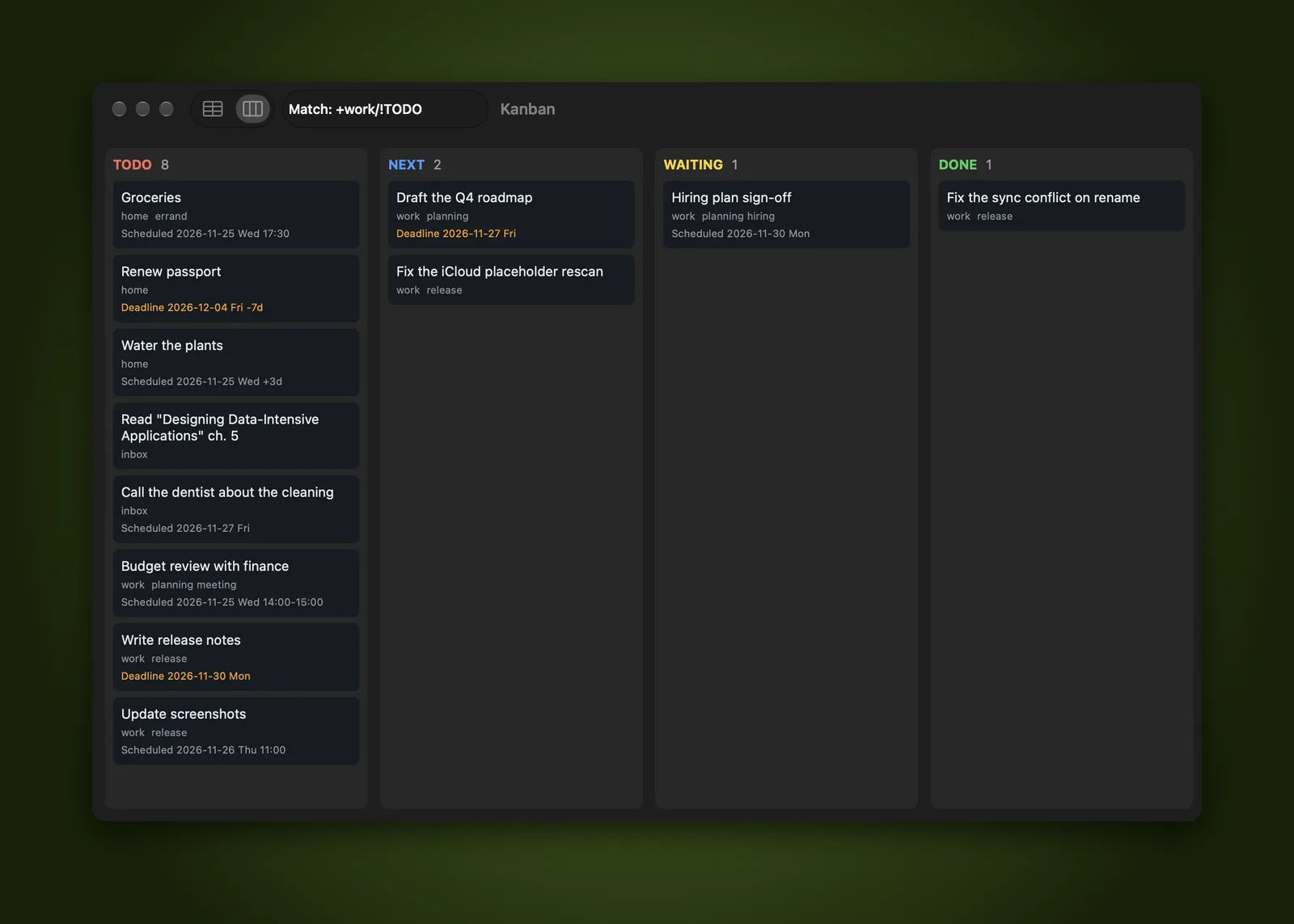
The board shows every task across your files as a table, or as columns by TODO keyword. Drag a card from TODO to NEXT and the keyword changes in the file. It's a quick way to see what's in progress and what's stuck in WAITING without writing a custom agenda view.
2.3. Capture from anywhere
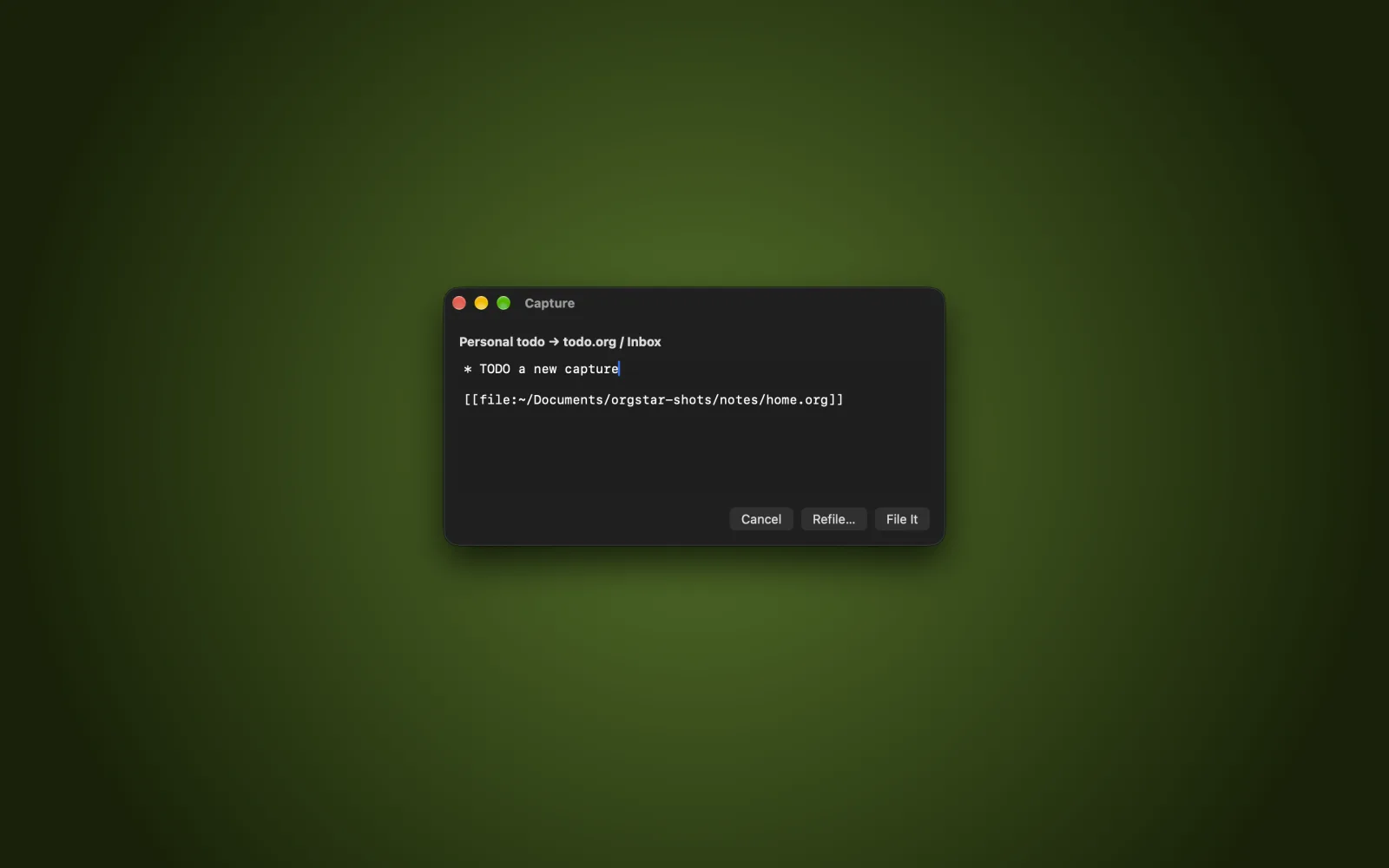
Capture uses org's own templates, so the ones in your Emacs config work as they are. On the Mac, ⌃⌥Space opens a small capture window from any app. You can also capture from the share sheet, Shortcuts, widgets, or org-protocol:// links, so browser bookmarklets written for Emacs keep working. Refile sends an entry to another heading in any of your files once you've sorted it out.
2.4. Edit with the keys you already know
The editor styles headings, TODO keywords, priorities, tags, timestamps, links, lists, tables, and source blocks as you type, and supports folding and the usual structure editing (promote, demote, move subtrees). Pick Emacs, Mac, or Doom (Vim) keys. If you already have an Emacs or Doom config, Settings ▸ General ▸ Import from Emacs carries over your org settings, folders, capture templates, key bindings, and agenda views.
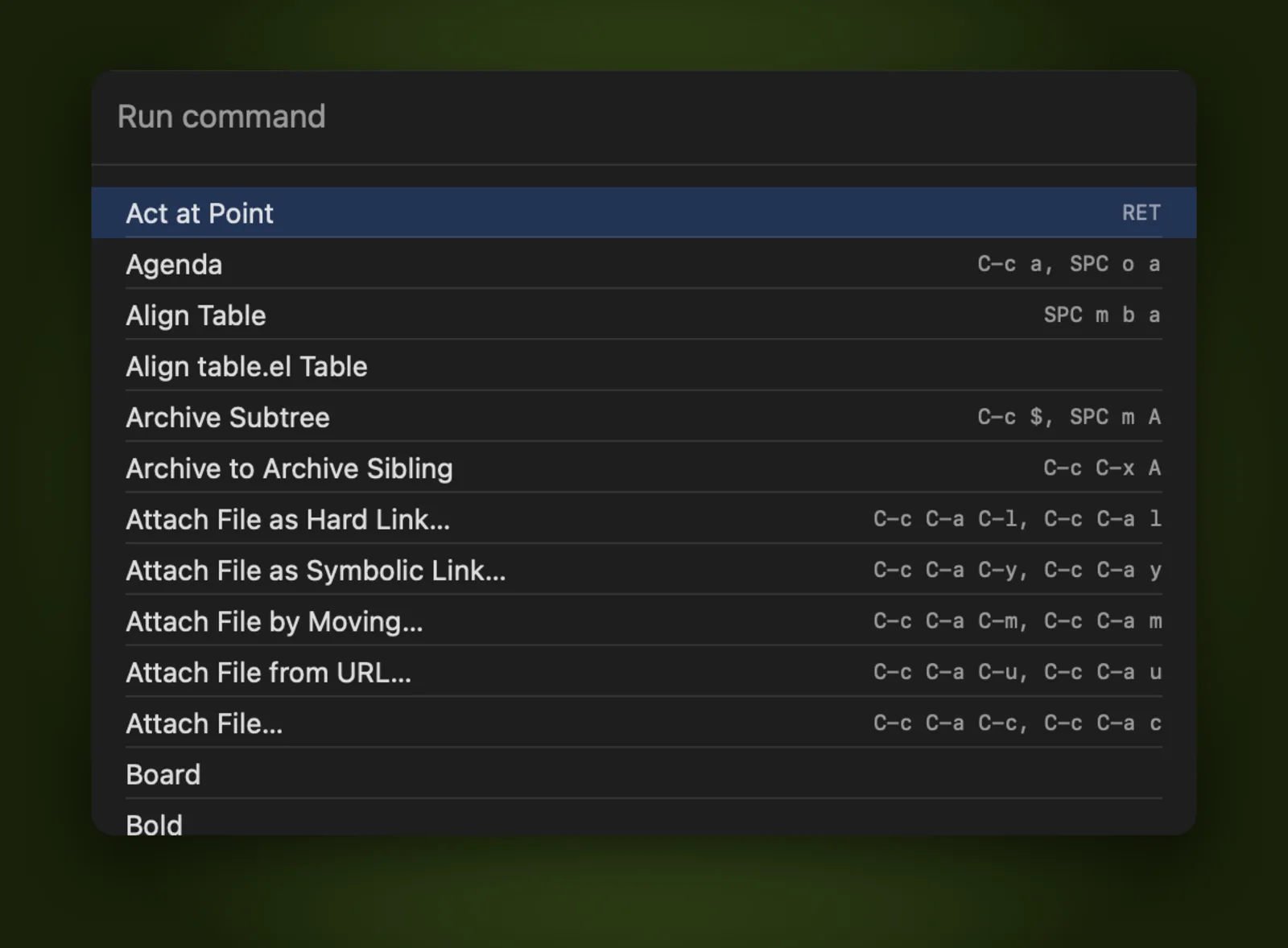
If you forget a key, the command palette lists every command with its bindings.
2.5. Track time
Clock in and out of any entry, and orgstar writes the CLOCK lines to its LOGBOOK as Emacs does. On the Mac, the running clock sits in the menu bar. On iPhone, it shows on the Lock Screen and in the Dynamic Island as a Live Activity, with a Clock Out button. Clock reports total your time by entry and by day over any date range.
2.6. Tables and code blocks
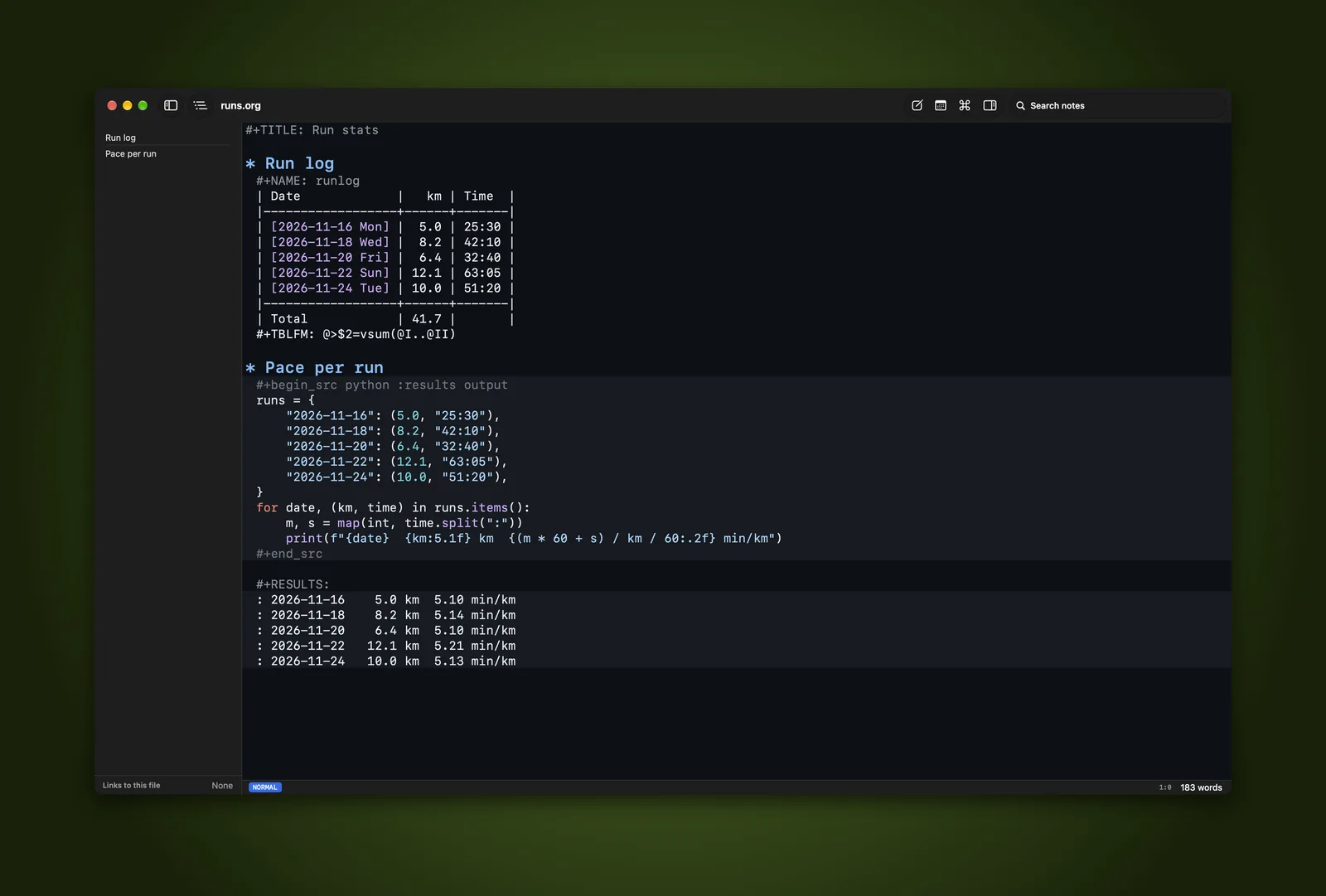
Tables align as you type, and #+TBLFM formulas recalculate in place, so a running log or a budget totals itself. Source blocks run and write their output to #+RESULTS:, and tangling writes them out to files, as org-babel-tangle does. The Mac download runs any language you have installed; the App Store versions run Emacs Lisp in orgstar's own interpreter.
2.7. Linked notes
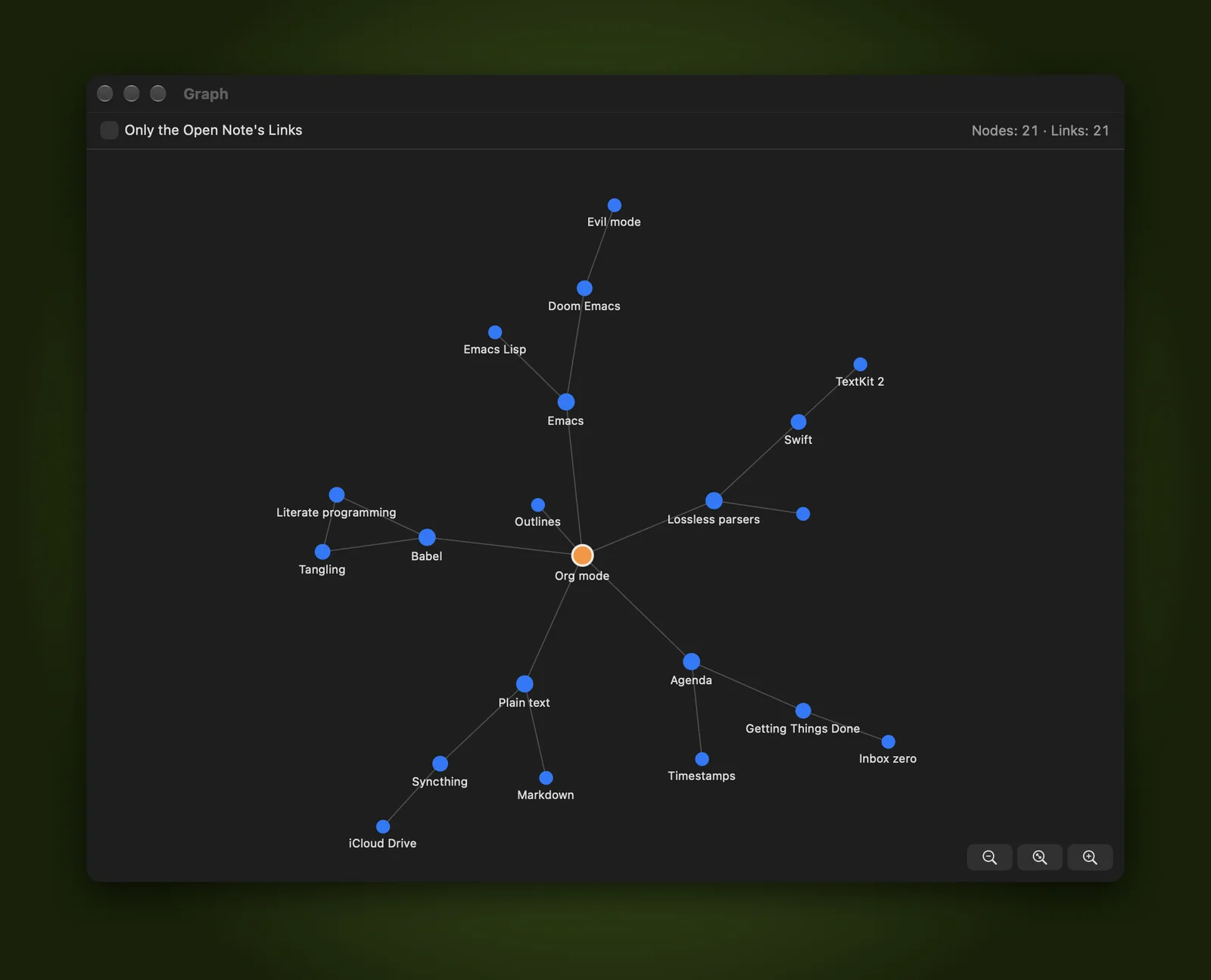
If you keep org-roam style notes with :ID: properties and id: links, orgstar handles them: find and insert nodes, see backlinks next to the editor, keep daily notes, and browse a graph of how everything links together.
2.8. Find, share, and protect
- Search covers file names, headings, and text. On the Mac,
.orgfiles also show up in Spotlight and preview in Quick Look. - Export to HTML, Markdown, PDF, Word, RTF, ODT, LaTeX, iCalendar, or plain text, or copy a selection as rich text to paste into an email.
- Encrypted entries written by org-crypt can be decrypted and edited, and new ones encrypted in a format Emacs reads.
- Attachments work like org-attach, including photos from the iPhone's library.
2.9. On iPhone, iPad, and Apple Watch
The iOS app has the same editor, agenda, capture, search, clocking, export, and tangling as the Mac, and works on any folder in iCloud Drive or another app's storage, such as a Syncthing folder. On top of that:
- Home Screen and Lock Screen widgets for today's agenda, habits, and one-tap capture.
- The clock's Live Activity on the Lock Screen.
- An Apple Watch app that shows today's agenda, marks entries done, stops the running clock, and takes dictated captures.
2.10. Living next to Emacs
orgstar never takes over your files. There's no account and no database of your notes; settings are plain files under ~/.config/orgstar/ that can sit in your dotfiles. Edit a file in Emacs on one machine and orgstar on another, and Syncthing or iCloud keeps them in step. If both change the same file, orgstar merges the edits, and if they truly conflict, it shows you both versions instead of picking one.
3. Under the Hood
Note: This section is for the nerds. Feel free to skip it.
orgstar is Swift. All of the org logic lives in one package, OrgCore, which imports nothing from AppKit or UIKit, so the Mac and iOS apps share the same parser, agenda, and commands.
- A lossless parser. The syntax tree reproduces the file exactly, whitespace included, and anything it doesn't recognize is kept as raw text. On save, only the bytes you edited are rewritten, so line endings, encodings, and syntax orgstar doesn't understand all survive. The tree is built like rust-analyzer's rowan, with node ranges in UTF-16 so the editor and parser never convert offsets.
- Incremental reparsing. An edit reparses only the element it touches, unless it changes structure (a new heading or block delimiter), in which case it reparses forward until the old and new trees line up again.
- Commands as data. Every action is a pure function that returns minimal text edits. Keys, menus, the palette, and the iOS toolbar all call the same commands, and the Emacs, Mac, and Doom keymaps are just TOML files.
- Safe saves. Before writing, orgstar compares the file on disk with the version it last read. If something else changed it, orgstar runs a three-way merge, writes atomically, and keeps both versions in a recovery folder.
- A throwaway index. Search and the agenda run on a SQLite index rebuilt from the files, which can be deleted at any time.
- Tested against Emacs. Oracle tests run the same file and command through a pinned
emacs --batchand compare the resulting bytes, cursor, and undo state. The repository has about 1,200 tests.
4. Getting It
orgstar is on the App Store for Mac, iPhone, and iPad. The Mac app also comes as a notarized download that can run code blocks in any installed language and hand exports off to Emacs:
brew tap krz/tap https://gitbay.org/krz/homebrew-tap.git
brew install --cask orgstar
Editing, the agenda, capture, clocking, tables, search, and HTML and Markdown export are free. orgstar+ adds the rest (running code blocks, the other export formats, widgets, the Watch app, Calendar and Reminders, and more). The app page has the details, and the manual documents every feature.
If you use org-mode, give it a try and let me know what you think, or open an issue on gitbay.